
How It Works
From branding to qualified leads.
Four steps take you from a branded 3D studio to complete quote requests — without rebuilding your website. Most dealers finish in a day if a logo and prices are ready.
Step 01
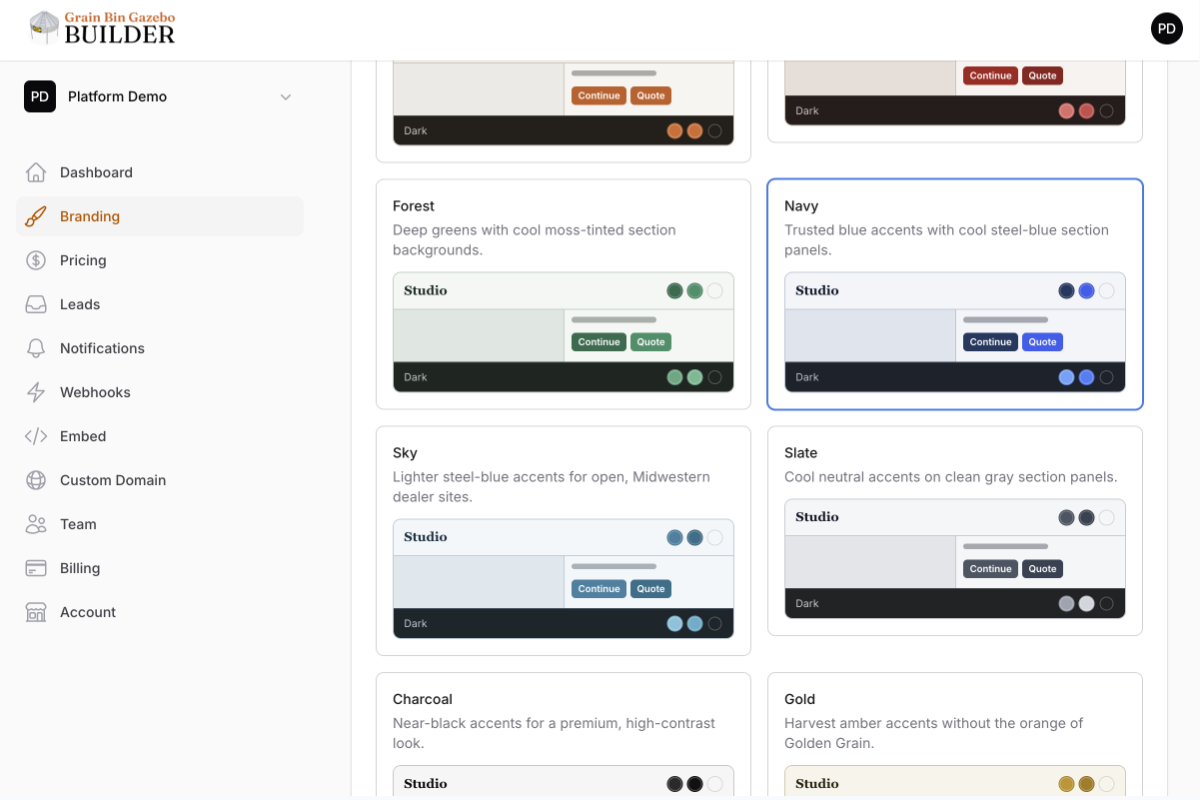
Brand your studio
Add your logo, choose colors, set light or dark appearance, pick heading fonts, and customize company details and the button shoppers click so the builder feels like yours.
Step 02
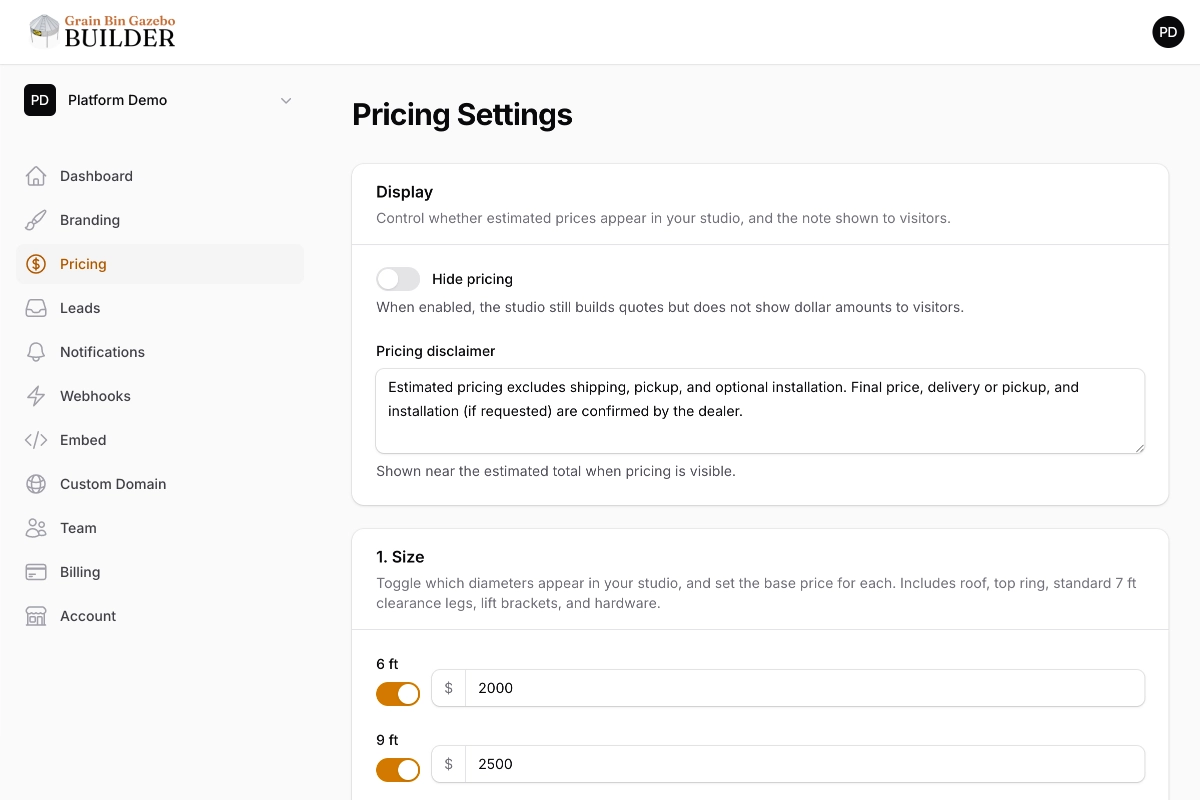
Configure your pricing
Set prices for diameters, height extensions, rings, and logo options. Enable only the sizes you sell, and optionally hide dollar amounts from visitors while still collecting quote requests.
Step 03
Publish or embed
Share a dedicated hosted studio URL, or add the builder to an existing product page. Choose which websites can show the embed. From the studio, shoppers can preview in AR and share or download a PDF of their configuration.
See embed vs dedicated demo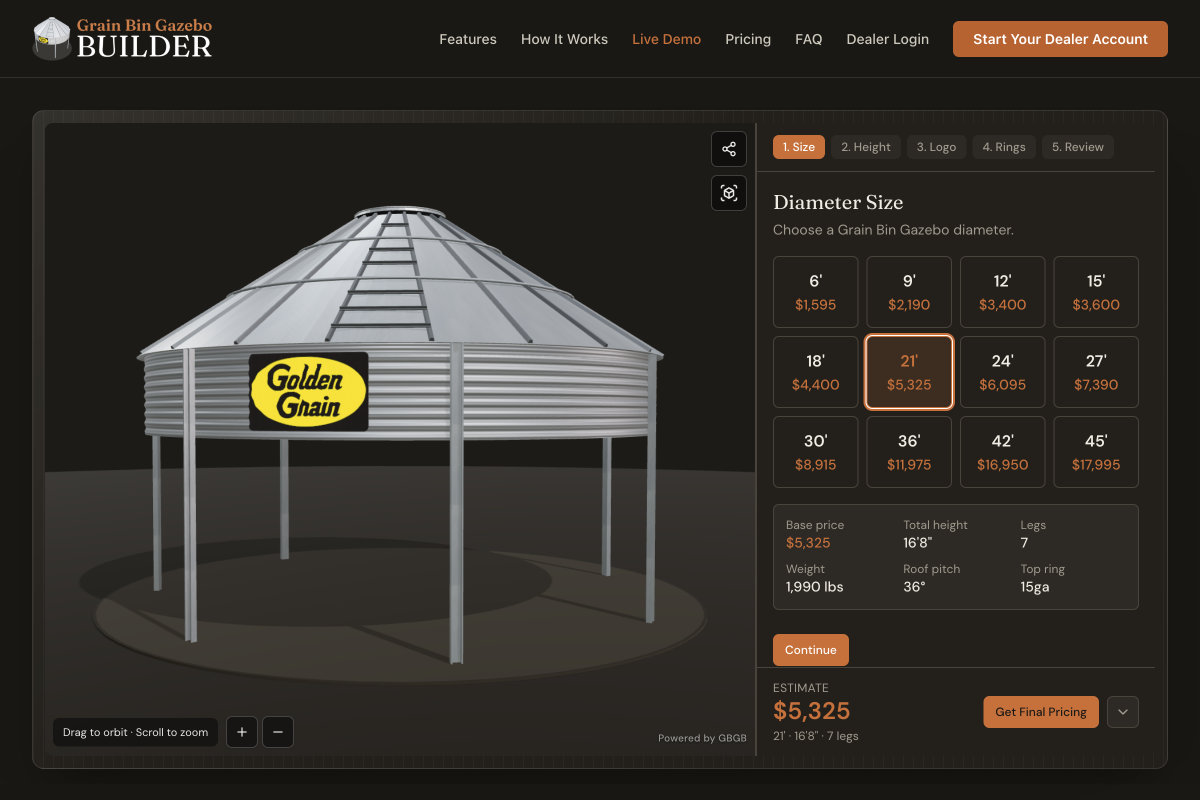
Step 04
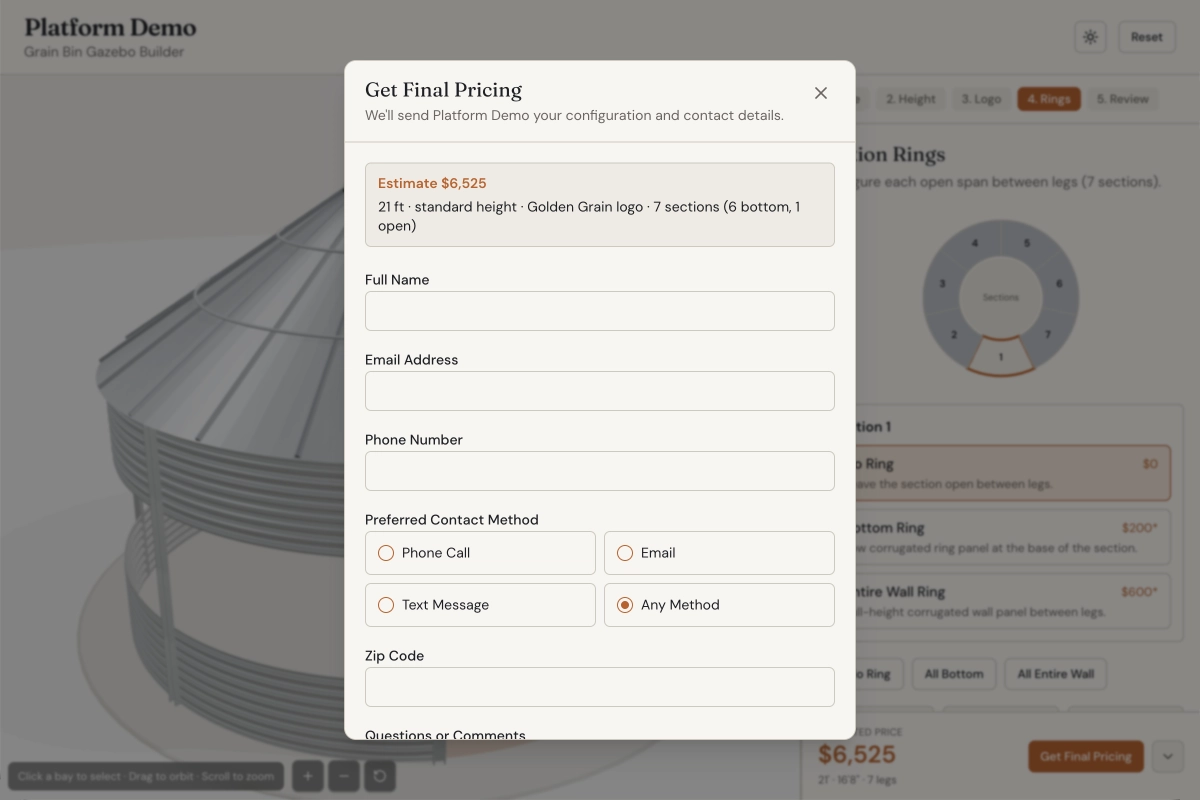
Receive qualified leads
Every submission lands in your dealer dashboard with contact details, the selected configuration, a shareable configuration link, and estimated price. Your team can get an email with the quote PDF, and you can send leads to your CRM.
We’ll help you put it on your site
Need a hand with the embed — including WordPress? Talk with us and we’ll walk you through it. You do not need to rebuild your website.
Talk with usReady to try the buyer experience?
See the live studio next, or start a dealer account when you’re ready.